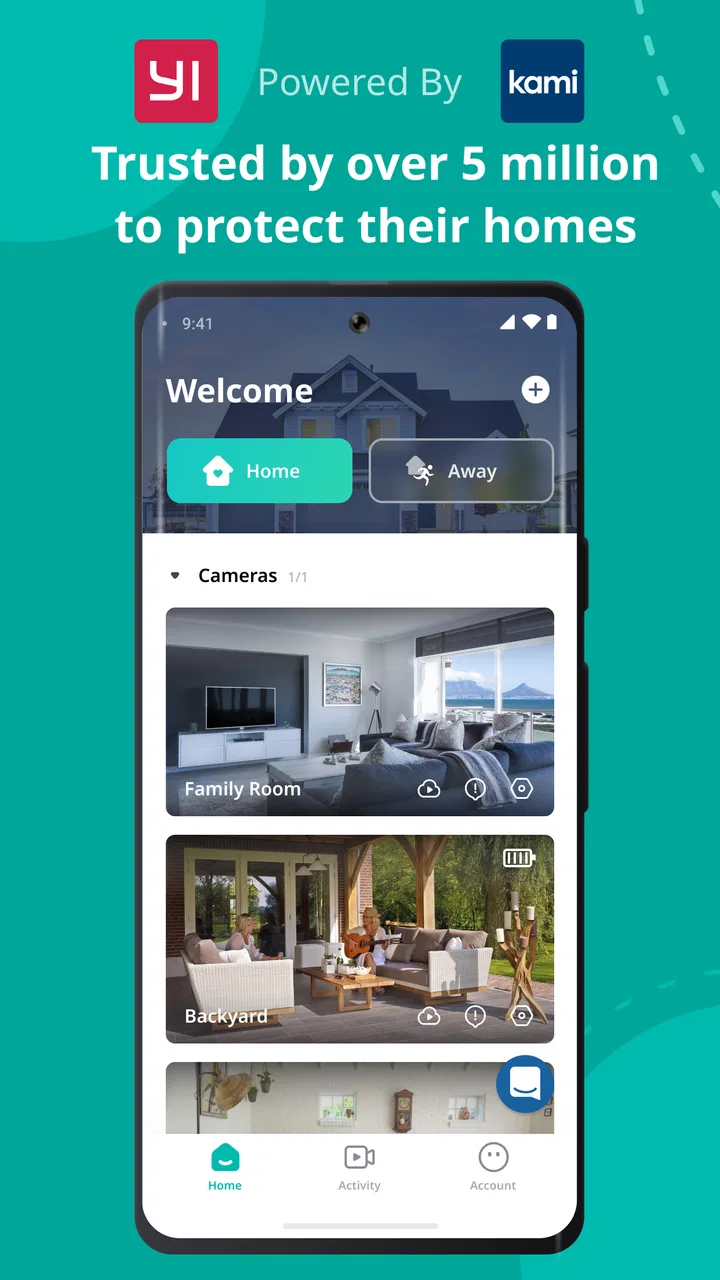
Yi Home
- 2.7
- Rating
- 5.00M
- Installs
- Free
- Price

 Analysis by App-foxy
I approached Yi Home as a practical control center rather than as a camera app I would open for entertainment. Developed by Kami HK, this free Lifestyle app is designed to bring YI connected devices into one place, and that purpose becomes clearest when I am moving between rooms, away from home, or trying to check what is happening without reaching for several separate device apps. The experience is built around connectivity, so the quality of the connection is not a minor detail; it shapes how quickly and confidently I can use the app.
That focus also explains why the app can feel very useful in one situation and frustrating in another. When the phone, the YI device, and the service are communicating smoothly, the central dashboard is convenient. When one part of that chain hesitates, the app gives me less certainty than a local control would. My overall impression is therefore mixed but clear: Yi Home is worth considering if I already use several compatible YI devices and want a shared mobile control point, while someone looking for a simple standalone camera viewer may prefer a more focused alternative.
How Yi Home feels when the network is doing the work
The first thing I notice is that the app’s value depends on reducing small bits of friction. Instead of remembering which application belongs to which YI product, I can start from one place and look for the device I need. That sounds basic, but it matters in ordinary situations: checking a room while preparing dinner, looking in on a pet during a commute, or verifying a space before going to bed. The app is most convincing when it turns several connected products into one routine rather than making me think about the underlying setup.
You May Also Like

 Blood Strike: 2.5 Anniversary
Blood Strike’s Loadouts Turn Every Drop Into a Tactical Gamble
A close look at Blood Strike’s custom loadouts: how fast access to signature weapons reshapes its battle royale rhythm, rewards preparation, and narrows the gap between fights.

 Pandora - Music & Podcasts
Pandora’s Music Is Easy to Start, but Harder to Recover
Pandora’s strength is its low-effort path from a seed to a station. Its weak spot is how much confidence it asks you to place in connection, setup, and quiet recovery.

 8 Ball Pool
 Is Built on Rivalries, Rematches, and Routine
A close look at the rivalries, rematches, shared routines, and unanswered safety questions that turn a quick pool match into a persistent mobile community.

 Samsung Music
’s Quiet Strength Is Playing What You Already Own
Its reach comes less from spectacle than from dependable access to a personal library. That simplicity is both the app’s strongest retention engine and its ceiling.

 AccuWeather: Weather Radar
AccuWeather Review: A Quick, Clear Forecast for Everyday Decisions
For everyday plans, the best forecast is the one you can understand quickly. AccuWeather makes rain timing, radar, and local conditions easy to act on, with a few trade-offs.

 Hill Climb Racing
Why Hill Climb Racing Still Turns Crashes Into One More Run
A tiny car, a bumpy hill and one more upgrade: Hill Climb Racing keeps resurfacing because its simple chaos makes every near-miss feel personal.
More From Our News Desk



At the same time, a connected dashboard should not be judged only by its number of controls. The important question is whether I can tell what is happening. A delayed refresh, a device that takes time to appear, or a control that seems to wait for a response can make me hesitate. I do not want to repeat a tap simply because I am unsure whether the first one worked. In my experience, this is the central trade-off of Yi Home: convenience comes from remote communication, but that same communication introduces uncertainty whenever the network is busy or unstable.
I find the app easier to appreciate when I treat it as a monitoring and management layer, not as a replacement for every physical interaction. If I am already near a device, using its direct controls may feel more immediate. If I am elsewhere, the phone becomes much more valuable. This distinction helps set realistic expectations and prevents the app from feeling disappointing simply because a remote action cannot feel as instant as touching the device itself.
The app has been available since November 10, 2015, and its long presence helps explain why it has become a familiar option for people building around YI hardware. Its current version is 6.8.5_20260115054026, and it requires Android 7.0 or later. Those details make it accessible to many existing Android phones, although compatibility in practice still depends on the particular YI devices a person owns and how current those devices are.
What I do before trusting a remote check
My most useful habit is to pause for a moment after opening a device view instead of acting on the first screen state I see. I look for a clear indication that the device has responded, then I make the decision I actually came for. This is especially important for anything involving a door, a child’s room, a pet, or a space where a missed update could create unnecessary worry. The app can help me check a situation, but it should not encourage blind confidence in a stale screen.
I also avoid opening the app with a long list of unrelated tasks in mind. A short sequence works better: choose the device, wait for the current state, perform one action, and confirm the result. That workflow sounds conservative, but it reduces accidental repeated commands and makes connection problems easier to recognize. When the app is used this way, I get more practical value from it than when I rapidly move between screens expecting every response to be immediate.
Using it away from home
Yi Home makes the most sense in mobile contexts where I need awareness rather than constant interaction. Imagine leaving home in a hurry and remembering that I wanted to check a particular room. I can open the app from the train or from a café, select the relevant YI device, and use the shared dashboard as a starting point. The benefit is not that the phone magically removes every limitation of remote access; it is that I do not need to carry a separate control method for each connected product.
That convenience is strongest for people who already have a small collection of YI devices. With only one device, the unified approach may feel less important, because a dedicated companion app can sometimes be easier to understand. With multiple devices, the single entry point becomes more meaningful. I spend less time remembering product-specific routines and more time concentrating on the actual reason I opened the app.
On a mobile connection, I pay attention to how much certainty I need. A quick glance is one thing; making an important decision based on a delayed view is another. I would not use any connected monitoring app as the sole basis for an urgent safety decision, and Yi Home does not change that principle. It is useful for everyday awareness, but it should complement sensible habits rather than replace them.
There is also a social side to mobile use. If another person in the household expects me to check a device, I need to know whether I am looking at a current response or simply an older state. When the app communicates clearly, it helps me share responsibility without physically being at home. When the connection is uncertain, I prefer to say that I am attempting a check rather than claiming that I have definitely verified the situation.
A realistic evening routine
One realistic routine is a quick home check before sleep. I open the app, review the devices that matter, and avoid wandering through settings unless something needs attention. If a device responds normally, the process is short. If one does not, I do not keep tapping at random. I check whether my phone connection is behaving normally, try the action once more after a brief pause, and then decide whether the issue is important enough to investigate directly.
This routine reveals one of the app’s less obvious strengths: it can help create a repeatable habit around several YI products. The value is not just the individual control; it is the reduced mental load of having a familiar starting point. The weakness is that a shared dashboard can also concentrate problems. If the central app is having trouble, several devices may feel unavailable at once, even if the hardware itself is fine.
When something fails and how I recover
Connectivity failures are where I judge Yi Home most critically. A device may take longer to respond, a view may not update as quickly as expected, or a command may leave me wondering whether it was accepted. In those moments, the worst response is repeated tapping. I can create more confusion by sending the same request several times without knowing which attempt, if any, reached the device.
My recovery process is deliberately simple. First, I wait briefly and look for a visible change. Next, I confirm that the phone itself still has a working connection by checking another ordinary online task. Then I reopen the device view or return to the main device list and try one controlled action. If the problem continues, I move closer to the device or use a direct method where appropriate rather than treating the app as the only possible route.
This approach also helps separate app problems from household network problems. If every online service is slow, Yi Home is probably not the only thing affected. If the phone works normally but one YI device does not respond, I focus my attention on that device or its connection instead of repeatedly restarting the entire phone. The app does not remove the need for basic troubleshooting, but its central layout makes it easier to identify which part of the setup is causing the uncertainty.
I would be cautious about relying on a single remote check after a failed attempt. For example, if I am away and the result matters, I prefer a second form of confirmation rather than assuming that a loading screen means success. This is not a criticism unique to one product; it is a sensible rule for connected home equipment. Yi Home is most dependable as part of a broader routine that includes physical checks, household communication, and patience when the network is not cooperating.
Keeping the experience data-conscious
Because Yi Home brings connected devices into a phone, I use it with the same care I would apply to any home-monitoring tool. I avoid leaving sensitive views open in public, especially when I am travelling or surrounded by people who could see the screen. I also think about who in my household genuinely needs access and whether every person needs the same level of control. The app’s convenience should not lead me to share access casually.
My practical rule is to open the app for a purpose and close it when that purpose is complete. I do not keep checking simply because the dashboard is available. That reduces unnecessary attention on the phone and makes the app feel like a useful tool rather than a source of constant alerts in my head. It also encourages me to distinguish between information I need now and information that can wait.
There is a trade-off between convenience and control here. A unified app makes it easier to reach several devices, but it also places more of the household experience behind one account and one interface. I therefore prefer a tidy device list, clear naming, and a small number of meaningful routines. If I cannot immediately tell which device I am viewing, the convenience of centralization starts to disappear.
Another useful habit is to review the app after an update rather than assuming every familiar screen behaves exactly as before. The current version number is long and date-like, which signals that the software is actively versioned, but a version label alone does not tell me how a particular phone or YI product will behave. I give myself a short test: open the devices I use most, check that their status appears normally, and confirm the actions I depend on before relying on the app during travel.
Who will appreciate it most
Yi Home is a good match for an Android user who already owns compatible YI connected devices and wants one place to manage them. It is especially useful for people who move between home and work, households that want a shared monitoring routine, and anyone who dislikes switching between separate companion apps. The free download lowers the barrier to trying it, although in-app purchases range from $3.99 to $184.99 per item, so I would pay attention to any purchase screen and make sure an optional cost fits my needs.
The Everyone content rating also makes the app broadly approachable from an age-classification perspective, but that should not be confused with unrestricted sharing of home views. A family may find the interface convenient while still needing clear rules about who can access connected devices. The app is a tool for household organization, not a substitute for thoughtful account and privacy habits.
I would skip it if I only need a very simple, single-device experience and do not care about a shared YI control point. I would also look elsewhere if my priority is a platform-neutral smart-home dashboard that combines products from many unrelated manufacturers. Yi Home is specific to the YI ecosystem, and that focus is its advantage for existing owners as well as its main limitation for everyone else.
How it compares with familiar alternatives
The usual alternative is a dedicated app for each camera or connected product. That approach can be more focused and may make one device easier to understand, particularly for a first-time owner. The downside is fragmentation: several apps can mean several sign-ins, different layouts, and more effort when I simply want a quick household check. Yi Home wins when the central dashboard saves me from that switching.
Another alternative is a broader smart-home platform. Such services can be attractive when a home contains equipment from many brands, because they promise one wider ecosystem. However, a general platform may not expose every YI-specific control or may introduce another layer of setup. If my home is mainly built around YI products, I prefer the more direct relationship of Yi Home. If my devices are spread across many manufacturers, I would compare the exact controls I need before choosing it as my main dashboard.
The rating picture is worth keeping in mind without treating it as a final verdict: Yi Home has an average of 2.8 from around 363 thousand ratings and more than 32 thousand written reviews. That level of public feedback suggests a large and varied user base, but it also tells me to approach the app with realistic expectations. A connected app can work well on one phone and network while feeling unreliable in another setup. I would use the rating as a prompt to test my own devices, not as proof that the app will fail or succeed for me.
Scale, cost, and everyday practicality
With over 5 million installs, the app is clearly used beyond a small group of experimenters. That scale makes the product feel established enough to consider, but popularity does not remove the need to check device compatibility and connection behavior in my own home. The price is free, which makes a trial straightforward, while optional in-app purchases mean I would read each payment screen carefully rather than assuming every capability is included.
I also appreciate that the app’s usefulness grows with the number of compatible devices, but that growth can make organization more important. I would give devices clear, location-based names and remove mental clutter from the dashboard wherever the app allows it. A list that mirrors the way I think about my home is faster to use than one organized around model names or vague labels.
My connectivity verdict
After using Yi Home as a central point for YI connected devices, I see it as a practical but connection-sensitive Lifestyle app. Its strongest moment is the quick household check: one familiar place, less app switching, and a useful way to stay aware while mobile. Its weakest moment is any situation where I need absolute certainty immediately and the network or device response is slow.
I would recommend trying it to a friend who already owns compatible YI hardware, especially if that friend is tired of managing separate device apps. I would explain the important caveat plainly: build a habit of confirming responses, avoid repeated taps during delays, and keep another sensible way to handle urgent situations. For a single device, a dedicated alternative may feel cleaner; for a YI-centered setup, the unified approach is more compelling.
In the end, Yi Home earns its place when connectivity is treated as part of the experience rather than an invisible guarantee. I like the convenience of reaching my YI devices from one mobile app, but I value clear confirmation more than a crowded collection of controls. If that balance matches the way you use connected equipment, the free app is worth testing. If your priority is instant local control, broad multi-brand support, or a completely hands-off experience, I would choose a different direction.
FAQs for Yi Home
01What features does Yi Home offer for home security?
Yi Home offers a variety of features designed to enhance home security, including motion detection, night vision, and two-way audio. The app also supports real-time alerts and cloud storage options for video recordings. Users can access live footage anytime through their mobile devices, providing peace of mind from anywhere.
02Is the Yi Home app compatible with both Android and iOS devices?
Yes, the Yi Home app is compatible with both Android and iOS devices. Users can download the app from the Google Play Store or Apple App Store. The app allows seamless integration with Yi Home cameras and provides an intuitive interface for managing security settings and accessing video footage.
03How easy is it to set up and install Yi Home cameras?
Setting up Yi Home cameras is straightforward and user-friendly. The process involves downloading the app, creating an account, and following step-by-step instructions to connect the camera to your Wi-Fi network. The app provides a guided setup, making it accessible even for those with limited technical experience.
04What subscription options are available for cloud storage on Yi Home?
Yi Home offers several subscription plans for cloud storage, ranging from basic to premium options. Users can choose monthly or yearly plans, depending on their needs. Each plan varies in terms of storage capacity and the length of time videos are retained, allowing flexibility based on user requirements.
05Can multiple users access the Yi Home app simultaneously?
Yes, the Yi Home app supports multiple users, allowing family members or trusted individuals to access the app simultaneously. Users can share access through the app settings, enabling others to view live feeds or receive alerts, ensuring that everyone stays informed about home security.
Pros
- High-definition video quality.
- Motion detection alerts.
- Two-way audio communication.
- User-friendly interface.
- Affordable subscription plans.
Cons
- Limited free cloud storage.
- Occasional connectivity issues.
- No web access for live view.
- Requires stable internet connection.
- Limited smart home integration.

Yi Home
Gallery